

A blog about art, photography, Photoshop, teaching and life!
Showing posts with label Photoshop. Show all posts
Showing posts with label Photoshop. Show all posts
Tuesday, July 5, 2011
Sweet Shot Tuesday
I haven't done this FOREVER! I just so happen to snap this on Saturday while walking with Monkey along the Mississippi! I love the shot! IT is also my MCP Project 52 photo of the week!


Tuesday, May 17, 2011
Sweet Shot Tuesday!
So I forgot to publish this last night! I am haven't posted anything for Sweet Shot Tuesday in a while so I thought I would put this one up! I took this photo last week while Monkey played in the nice cool water! It was so hot I thought for 2 days it was summer, and than back to typical Iowa weather! I used Nelly Nero actions on this shot- however I forgot which one!!!! I highly suggest downloading her actions from her Flickr profile!


Tuesday, May 10, 2011
Donuts and Window Light a great mix!
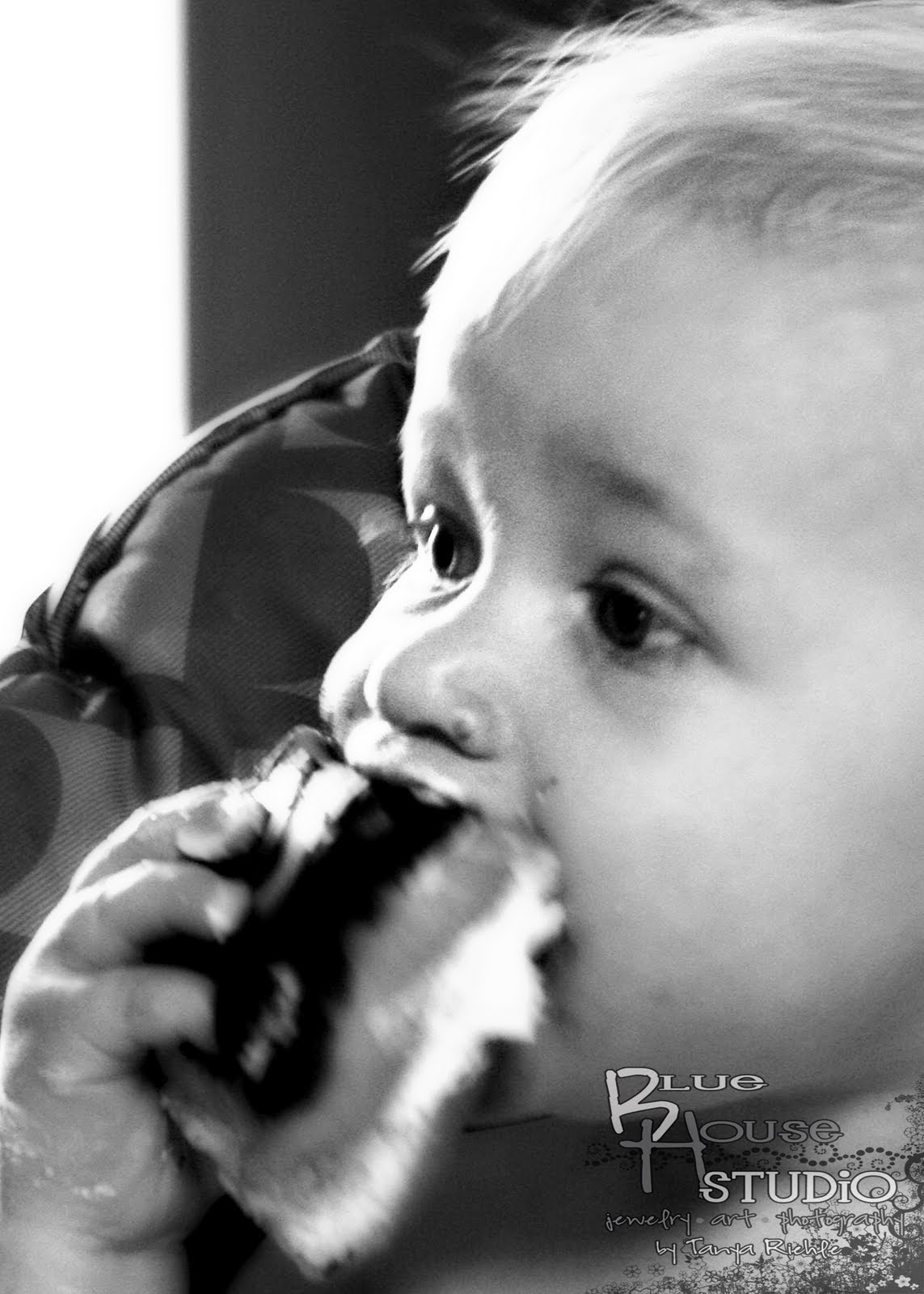
MCP Project 52's theme this week is Window Light! I have great light coming in our windows in the morning. On Sunday I got Monkey her favorite donut.........cream filled long john! She loves them, as a matter of fact she eats more than I do! I got some shots of her eating away with the window light illuminating her face!
Enjoy!!!

Enjoy!!!
Monday, April 18, 2011
Now to WOW!!!
So I was gone all weekend and I just got a chance to do the Now to WOW! I loved the ruler tool tutorial, however, my horizon line were straight so it didn't adjust it much, but it will help in the future! So I tried something a bit different. I did a modified Coffeeshop blog action.......the Polaroid Transfer, I added a layer mask and a distorted layer. Something that I would LOVE to really do, but I don't have a polaroid camera!!!
Enjoy!!

Enjoy!!

Tuesday, April 12, 2011
My First Action
Not only is this my first action, but it is also my Sweet Shot Tuesday!!! Pictures after the storm we had this weekend!!!
Here is my first action that I have created for others to use! I taught my class to do Ashley's Planet Tutorial and as I was creating my planets I realized it would super easy to create an action for it!
Ashley took a panoramic picture and made a "planet" out of it. Of course if you want the entire tutorial check it out HERE!!! Of course I tweeked it a bit. I added a mirrored image to the action, some of my skies were so different it was hard to clone it and make it look good! So you can download it here!
Here is my first action that I have created for others to use! I taught my class to do Ashley's Planet Tutorial and as I was creating my planets I realized it would super easy to create an action for it!
Ashley took a panoramic picture and made a "planet" out of it. Of course if you want the entire tutorial check it out HERE!!! Of course I tweeked it a bit. I added a mirrored image to the action, some of my skies were so different it was hard to clone it and make it look good! So you can download it here!
 |
| Original cropped |
 |
| Mirror Left |
 |
| Mirror Right |
 | |
| Planet Action |
 | |
| Well Action |
Thursday, April 7, 2011
Now to WOW!!!
So when I read Ashley's blog to day I did a little cheer, than a little dance, my first hour class thought I was strange! But I love adding textures to my images......love, Love, LOVE IT!! I am so in my zone this week! I joined a challenge group on Flickr with SkeletalMass's textures, he is wonderful. Both of his blogs are on my blog roll. There are also so many other Flickr resources out there for textures.
So I did my first photo and followed very close to Ashley layers and what she did, then I went and did my own thing, I did however use the same textures she used.
After my first one I thought why not do a screen shot with my recipe on it! So the last two have screen shots. I do a lot of layer masking when I am working on portraits because you might get a strange line in the face or lose some detail. I always use a brush at 50% or lower when do that!


On my last one I did what I love to do.....add brushes. I added a little brush frame around it. Sometimes I layer mask with brushes as well, it gives different tones with the layers.
Here are some examples of my texture challenge using brushes in my layer masks. The flower is my photo, the fairy was for a challenge.


So I did my first photo and followed very close to Ashley layers and what she did, then I went and did my own thing, I did however use the same textures she used.
After my first one I thought why not do a screen shot with my recipe on it! So the last two have screen shots. I do a lot of layer masking when I am working on portraits because you might get a strange line in the face or lose some detail. I always use a brush at 50% or lower when do that!


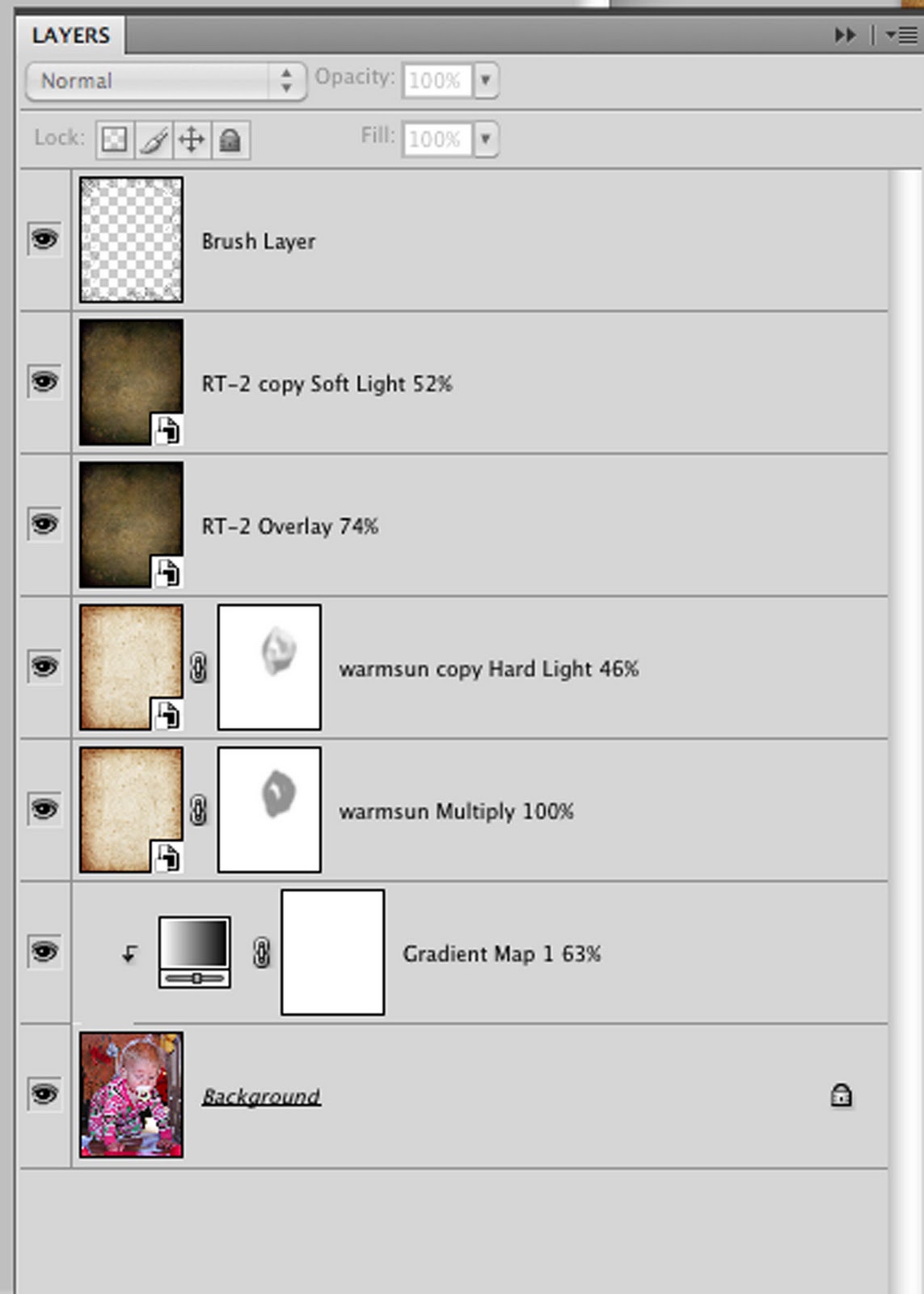
On my last one I did what I love to do.....add brushes. I added a little brush frame around it. Sometimes I layer mask with brushes as well, it gives different tones with the layers.
Here are some examples of my texture challenge using brushes in my layer masks. The flower is my photo, the fairy was for a challenge.


Wednesday, April 6, 2011
Fusion

Fusion a lot of things come to mind when you say that word. However when I read it last Saturday on MCP's blog the only thing I could think of was baking cookies! I don't know why but it was, so much to the enjoyment of my husband and daughter I baked cookies, just so I could take a picture of them! The picture I took was exactly what I had envisioned, but it turned out quite nicely.
I have said it before that MCP Project 52 has really helped me this year. I gives me something to look forward to each week! The first thing I do on Saturday morning is read the blog to see what I am going to take a photo of that week.
So I fused that with my teaching, and I have gotten some great photos the past two weeks! I had all A's, all of them! It was wonderful! Here is a link to my HUGE labor of love.....my art room website! There are links to my digital camera's websites, which are their portfolios and to daily updates on the blog and examples of all of the projects we do in class.
http://www.howard-winn.k12.ia.us/hs_art/CHS_Art_Department/Welcome.html
Tuesday, April 5, 2011
Waterdrop Tutorial
Hello everyone! Some people have asked about the link to the water drop tutorial so here it is http://www.clickinmoms.com/blog/?p=1792. I also posted it in a comment. I can't wait to show you some of my students water drops, they are awesome!!! Stay tuned for a post with the link to my Digital Camera page on my art room website!
Monday, April 4, 2011
My first Tutorial for My Blog

Have you ever been to the Wordle website? You can easily create your own word collage. What if you wanted to put a picture in that collage? Well you can actually add one of their collages to your photos, but this tutorial shows you how to do it on your own!
Open the document you want to add the words to. Clean up your photo, run any actions you like. I ran Moody Pop on my example.
Use your text tool to create words. I hid my background layer so I could see the words more clear.
Right now it doesn’t matter where you place the words, how big they are, or what font, just type. Make sure you to put the words on separate layers. (Click the move tool between typing the words) (See Below)

To make life easier have the auto select layers option checked on your move tool. (See Below)

Now start free transforming, rotating, formatting and moving your text. When choosing a font you want to pick larger, bolder fonts. Thin fonts don't work as well. Also, you will probably want to turn your background layer on so you can see where it overlaps your photo.
Once you have moved all of your text around and it is in the EXACT place you want it, go to your layers palette and select all of your text layers. ( You can click on your bottom text layer, hold shift and click on your top text layer). Go to your layer menu and Merge Layers. (See Below)

You will want to select your word layer. One of my favorite short cuts is the Cmd Click (Ctrl Click for PC) on your layer this will select your text within that layer.
Now you will want to make a new layer via copy- so now select your background layer and Command J (creates a new layer via copy).
Turn “off” the original word layer in your layers palette.
Now to make the words actually appear! to do that all you have to add some blending options to your layer. I like to do bevel and emboss and drop shadow or stroke. You can play with the settings of these options, but the bevel and emboss is the most important option to add to the layer

Tuesday, March 29, 2011
Sweet Shot Tuesday!

Good Tuesday morning! I was a bit under the weather yesterday....stomach flu is going around school and both my hubby and I got it! Last night we were visited by 2 cute puppies.....Monkey was a little scared at first, but after that she want to drag them around my their little necks.......but I forgot my memory card at home so those won't be my sweet shot today. So....today's sweet shot is going to one I took for MCP Project 52, but its not the one that I put in the group. I still really love it I use one of Nelly's Sweet Actions to make it look a bit retro. My Monkey's kitchen center has some retro colors on it. Check out my Flickr stream at the bottom of the page to see more from Just for Fun!
Friday, March 25, 2011
Nelly Nero's Actions
 |
| NELLY'S VEVIA ACTION |
 |
| JUST NICE N EASY ACTION |
First of all..... Thank you for all the great comments, my art "teacher's eye"helps me with my crops, of course I crop about 3 or 4 different ways before I actually decide on which one I am going to use.
One of the reasons I love doing challenges is going to the other blogs and checking out the wonderful photography added by different photographers. When you do that you also get invaluable resources, blogs that have tutorials, presets or my favorite ACTIONS!!!! While checking out Now to Wow photos on Jill Samter's website I ran across and wonderful action used on a flower photo, it than led me to flickr where I got so download Nelly Nero's wonderful actions. As of right now, I have only downloaded one of her sets, but it was HUGE!!!! Tons, Tons, Tons of actions and they are WONDERFUL!!!! If you read my Now to Wow post you can see my flower photos! So mt favorite photo got a 5 second reedit and I think it is wonderful.
Thursday, March 24, 2011
A Frosty Now to WOW!

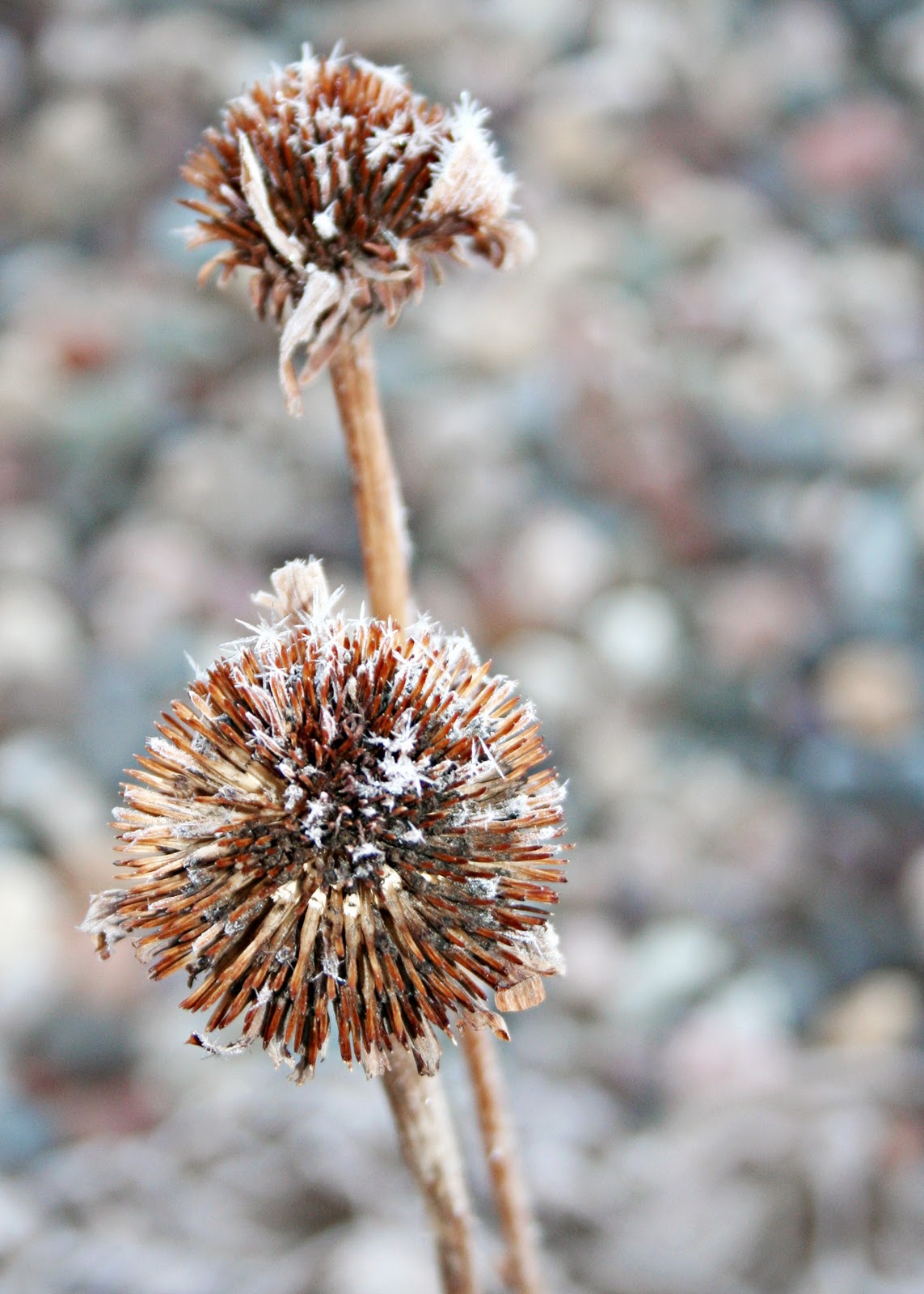
So on Saturday I posted my SOOC shots of my frosty flowers! Ashley posted the tutorial today! Not so much a tutorial- she posted an action to use!!! Its a great, simple action- I love simple!!! Go to her website and check it out! I edited most of my photos that I posted with the action, the sillouettes of flowers the action didn't do anything for......so I ran a couple different actions for those. The one above is my favorite!
We than got to take them into Pixel Bender a plug-in from Adobe. I had heard about it a while ago from a pod cast and downloaded it I was so excited because what I had seen them do was amazing!!! Very much like Ashley's. However, I only have CS4 and it isn't as good as CS5's version of pixel bender!!! No oil paint on CS4......... :-( So I made do, not loving it and really not spending a bunch of time messing with it knowing it won't do what I want it to. My photos don't lend itself very well to pixel bender......however I will post some that will later!!! You really have to open them in a different window to see what I did to them.


I was very happy with all of my flower shots. They turned out very different!!! So of them I just stopped at Ashley's actions, others I ran some MCP telescope from All in the Details and Coffeeshop Hot Toffee. Here are the rest, some are the same SOOC shot just cropped different.
 |
| The Favorite! |


Tuesday, March 22, 2011
Sweet Shot Tuesday!
My Sweet Shot Tuesday post this week is from my Frosty Flowers Collection that I shot on Saturday. I ran some MCP Actions and Coffee Shop's Blue Ice Action as well. I hope you enjoyed this one as much as I do.


Monday, March 21, 2011
Grandma's Necklace

I have been wanting to blog all day long, but getting ready for the Digital Scrapbooking Class that I taught tonight at the community college kept me busy all day. This weekend I took my SOOC, Now to Wow photos as well as my MCP Project 52 photos all before 9 am Saturday morning. What great light! I processed the From the Jewelry Box photos all Saturday afternoon while Monkey slept. It was fun! I love processing photos. I use both Coffeeshop Blog actions as well as All in the Details Actions from MCP. They work so well. Of course it did create a bit of banding which I didn't realize until today when I was look at them large, but than again, I was looking at 5x7 photos HUGE!
So lets get to the story behind these photos, because I love photos that have stories! Now I could tell you tons of stories about my Great Grandma and Grandpa Grady (see why we always had corned beef and cabbage). How they came to Iowa, how my Great Grandpa was so proud to have sold moonshine to Boonie and Clyde. But this story is about my memories.
My great grandma's name was Amy, she had 10 children so close together they would sleep in dresser drawers because they didn't have any room in cribs for them. She was a southern belle, a homemaker, a lady, and best of all a quilter. She and my great grandfather came to Iowa with literally no money. They made a life in Iowa from the ground up. Although she passed away when I was in 3rd grade I still remember her quite well. I remember her home in Gillmore City. I remember the light in her narrow kitchen that was so bright, it was a stark contrast from the dark cupboards. The whole house was like that, an artist light; perfect. That kitchen produced the best smell in the world.......homemade bread. Whenever I smell bread I think of great grandma's house. I remember the stained glass window at the top of the stairs we couldn't climb and the landing that we would play on and read the old school books by grandma had gotten to teach my great grandpa how to read, my mom has those books and my sisters and I played school with them for years. I remember her smile and her wrinkled, lady-like hands. They were so graceful even in her old age. Even then I was a visual kid.
Now, she didn't teach me to quilt, but she did teach my grandma how to quilt. Who in return made a quilt with me every year I was in 4-H, starting at age 9, the summer after grandma passed away. Quilting has been a part of my life for so long and I love to do it. It is a part of my art as well, not just in the themes, but in composition as well.
Last year I painted a portrait of Amy and Dennis's grandfather, Fred, who was 2nd generation church decorator, which Dennis now does. We were both so connected to them that I wanted a painting that tied the two of them together. The photo is of her and a Grandmother's Flower Garden quilt, all hand pieces together, which now covers my grandmother's bed and will someday cover mine. It turned out exactly the way I wanted it to and that is the painting that is behind grandma's necklace.
Saturday, March 19, 2011
1st Day of Spring......tomorrow????
Tomorrow is the first day of spring! Also my little bro's bday!!! Big 19!!
In Iowa weather is crazy. This month we went from 40 degree weather to a snow day in a day. This morning we woke up to a nice frost. But at least most of the snow is gone!
My Monkey decided to sleep in and my husband left to work in Rochester with his brother. So, I decided to go out side and take some pictures. The sky was so clear and the sun was out, lately you don't know if that will happen. This week SOOC theme is flowers, well the snow has barely melted from my flowers, but the frost on the brown flowers from last season was beautiful! Here are some of my shots, I didn't know I would like so many of them. I can't wait until Thursday when Ashley posts her edits, of course I will do some editing before that to some of them! I hope you like my not so typical flower photos!


In Iowa weather is crazy. This month we went from 40 degree weather to a snow day in a day. This morning we woke up to a nice frost. But at least most of the snow is gone!
My Monkey decided to sleep in and my husband left to work in Rochester with his brother. So, I decided to go out side and take some pictures. The sky was so clear and the sun was out, lately you don't know if that will happen. This week SOOC theme is flowers, well the snow has barely melted from my flowers, but the frost on the brown flowers from last season was beautiful! Here are some of my shots, I didn't know I would like so many of them. I can't wait until Thursday when Ashley posts her edits, of course I will do some editing before that to some of them! I hope you like my not so typical flower photos!


Subscribe to:
Posts (Atom)